Your site cannot be updated. Somebody tried once, something broke, and the standing instruction since then has been to leave it alone. The reason is almost always a single plugin — usually one nobody remembers choosing — that has quietly become the thing the site depends on.
This is how that happens, how to find out which one it is on your own site in about an hour, and how to get out without rebuilding. None of it requires you to be technical, and all of it is cheaper than the alternative, which is discovering the answer during an incident.
How a plugin becomes load-bearing
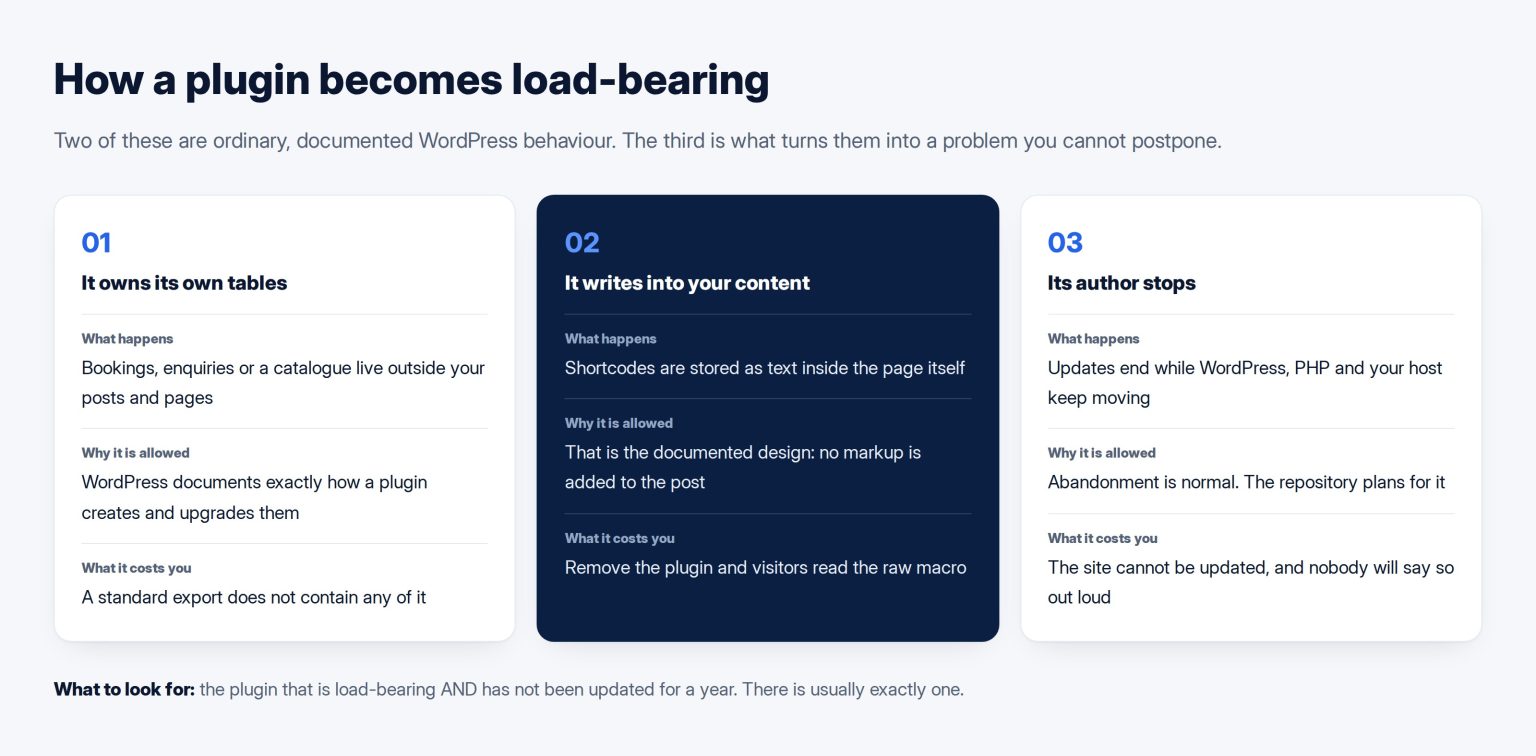
Plugins are supposed to be additions. A well-behaved one can be switched off and the site is simply missing a feature. The trouble starts when a plugin stops being an addition and becomes the place your content lives.
Two mechanisms do almost all of the damage, and both are ordinary, documented WordPress behaviour rather than anything sinister.
The first is a plugin’s own database tables. WordPress explicitly permits this: the handbook shows how a plugin creates its own tables on activation and must write its own upgrade routines. That is right for a booking system or a form logger. It also means those bookings, those enquiries and that catalogue are not in your posts and pages, and a standard WordPress export will not contain them.
The second is shortcodes. The handbook describes them exactly: shortcodes are text macros stored in the post content, and no markup is added to the post. Which is elegant until the plugin is gone, at which point every page that used it displays the raw text of the macro to your visitors. Most owners have seen this without knowing what they were looking at.
The failure is abandonment, not attack
The mental picture most owners have is a hacker. The real event is duller: the plugin’s author stops publishing updates, and everything else keeps moving. WordPress.org’s own guidelines make it clear this is anticipated, reserving the right to remove a developer’s access to a plugin in favour of a new, active developer. That mechanism exists because abandonment is normal.
The scale is documented. Patchstack’s review of the ecosystem recorded 7,966 new WordPress vulnerabilities in 2024, 96 per cent of them in plugins, with 1,614 plugins and themes removed from the repository. Almost none of that is about WordPress itself.
And it maps onto the standard security categorisation rather than being a WordPress peculiarity. Using components that are out of date or no longer maintained is its own entry in the OWASP Top Ten, with unmaintained third-party components named explicitly. Your site is a piece of software assembled from other people’s parts, and this is the risk that comes with that.
The hour that tells you where you stand
Open the plugins screen and make a four-column list. Every plugin, what it does in your own words, whether the site would still function without it, and when it was last updated.
Then mark each one with a letter. A for cosmetic — remove it and a page looks slightly worse. B for functional — remove it and a feature stops, but nothing is lost. C for load-bearing — remove it and content, records or the layout of existing pages disappear.
You are looking for the intersection of C and a last-updated date more than a year old. That is the plugin holding your site hostage, and there is usually exactly one. If there are three, the honest reading is that the site needs a plan rather than a fix.
Two extra checks worth the minutes. Does anything on the list duplicate what another does, which is common after a few years and a few suppliers. And is anything commercial licensed to an email address nobody at your company controls, because an unlicensed plugin stops receiving updates without announcing it.
The two that are almost always on the list
Across the sites I have looked at, the same two categories account for most hostage situations, and it is worth knowing which they are before you audit.
The first is whatever collects enquiries. Contact form plugins store submissions in their own tables, and a company that has been running for five years has five years of enquiries inside one. Nobody thinks of that as content until they try to move it. If your enquiries are not also being emailed somewhere you keep, the plugin is currently the only copy.
The second is whatever built the layout — a slider, a portfolio, a section builder, or the bundle that arrived with a commercial theme. These are the shortcode cases, and they are the reason a site that looks fine cannot change its theme. The tell is a page that displays correctly on the front end and looks like fragments of code in the editor.
Neither is a mistake. Both are ordinary choices that were correct at the time and became structural because nobody wrote down that they were structural. That is the difference between a design decision and a development decision, and it is why the two need separate answers when a site is being commissioned.
Getting out, in the order that works
Get the data out first, before touching anything. If the plugin has an export, run it and open the file. If it does not, its data still exists in the database and can be extracted; that is a small job for a developer and it is the job worth paying for. Note that the plugin is meant to clean up after itself on removal — the handbook is explicit that a plugin must remove its own options and database tables on uninstall, and deactivation does not do this. So deactivating is safe and deleting may not be. Deactivate, never delete, until the data is somewhere else.
Then find the replacement and run both in parallel on a copy of the site, not on the live one. Move the content. Replace the shortcodes with real blocks, page by page, which is tedious and is the actual work. Only then remove the old one, and keep a backup taken before you do.
For a small site this is a day or two. For a site with a few hundred pages using a builder’s shortcodes, it is genuinely a project, and it is worth knowing that before you start rather than halfway through.
What to ask before the next one goes in
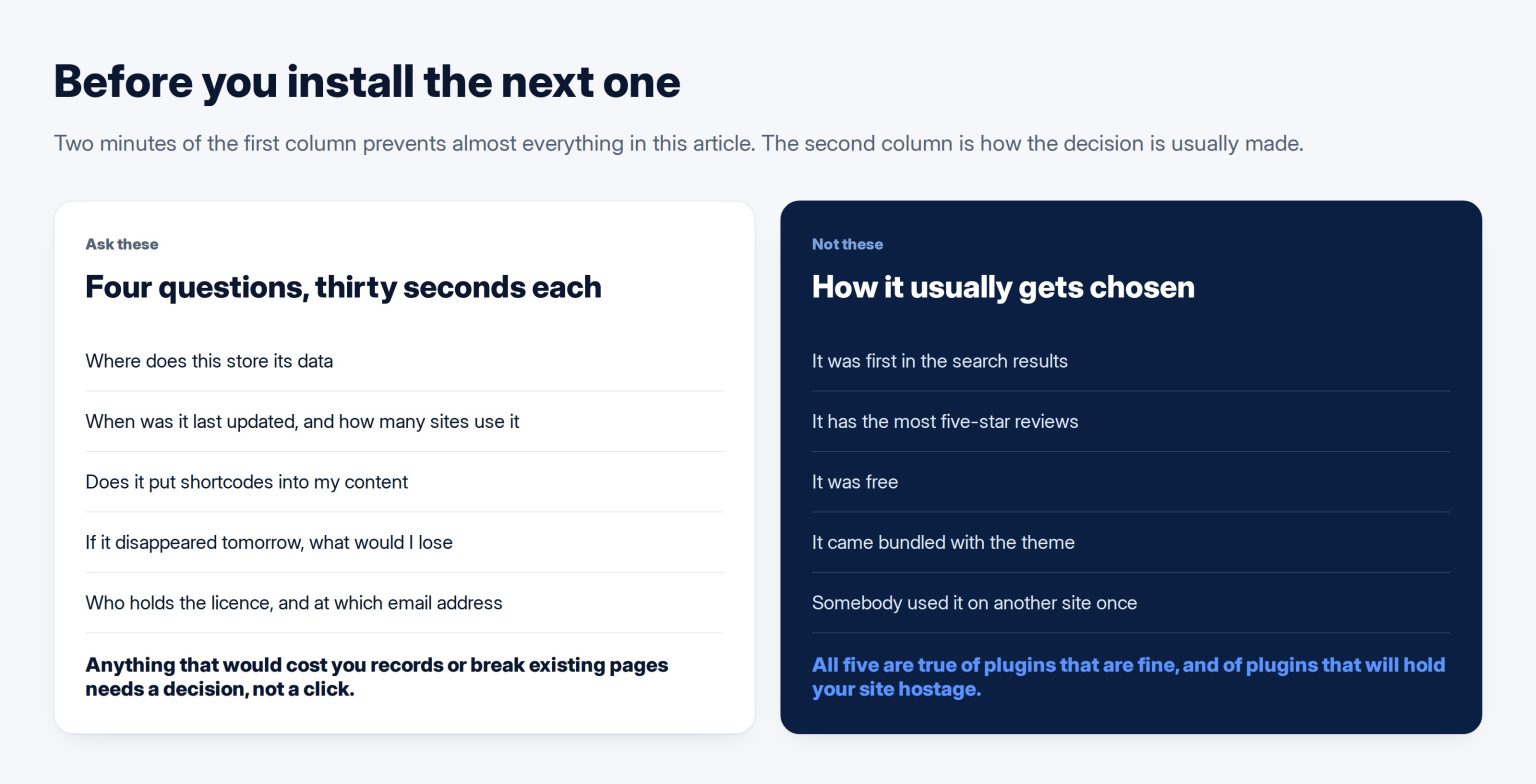
Four questions, thirty seconds each, and they prevent almost all of this.
Where does this store its data — in ordinary posts and pages, or somewhere of its own. When was it last updated, and how many sites use it. Does it put shortcodes into my content. And if it disappeared tomorrow, what would I lose and what would I do.
The last question is the whole discipline. Anything where the answer is that you would lose customer records or that half the site would display raw text needs a deliberate decision, not a click. That is the same judgement that governs the choice between a theme, a page builder and a custom build, and it is exactly the kind of thing a maintenance retainer should be covering on your behalf rather than leaving to whoever is logged in. If nobody is currently doing it, it belongs in the WordPress work before it belongs in an emergency.
Frequently asked questions
The plugin still works. Why replace it if nothing is broken?
Because it is not the plugin that breaks first. WordPress, PHP and your hosting all keep moving, and an unmaintained plugin eventually meets a version of one of them that it was never tested against. The failure arrives on somebody else’s schedule, usually during a routine update that could not be postponed any longer. Replacing it while everything works is a planned day. Replacing it after it fails is an unplanned week.
Our developer says updating will break the site. Are they right?
Probably, and that is a description of the problem rather than a solution to it. The correct response is not to stop updating; it is to find out which specific thing breaks. That is what a staging copy is for: clone the site, run every update there, and see what falls over. An hour of that converts an open-ended fear into a named list, and the list is almost always shorter than expected.
Is a paid plugin safer than a free one?
Paid buys you support and a commercial reason for the author to keep going, which genuinely reduces abandonment risk. It does not reduce lock-in, and it can increase it, because commercial plugins are more likely to store content in their own structures. Judge both the same way: where the data lives, how actively it is maintained, and what happens to your pages if it stops. Price is evidence, not an answer.
How many plugins should a normal site have?
There is no correct number, and chasing a low one causes its own damage when people remove things they needed. What matters is the shape of the list: mostly B-category, actively maintained, with as few C-category items as the site can manage. A site with twenty well-kept plugins and one load-bearing item is in better health than a site with six, one of which was abandoned in 2021 and holds every enquiry ever received.
We do not have a staging copy. Is that a problem?
It is the reason updates feel frightening, so yes. Most hosts provide staging as a feature you already pay for and have never switched on, and where they do not it can be created cheaply. Until one exists, every update is performed live on a site serving customers, with no way to see the consequence first. Setting it up is a small piece of work with a disproportionate effect on how the site is looked after.